
UPS Account
UPS Account Management in NRGship
To ship with NRGship, you'll need to register your UPS account. You can register as many account numbers as you have with UPS.
ADD UPS ACCOUNT
Click the Add UPS Account button on the UPS Account menu tab within Preferences. The wizard will run you through adding your UPS account.
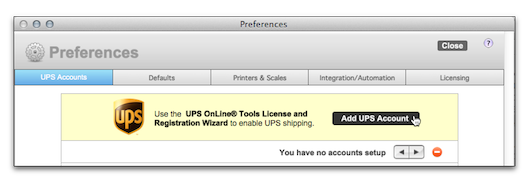
REGISTRATION
The Registration Wizard requires you to:
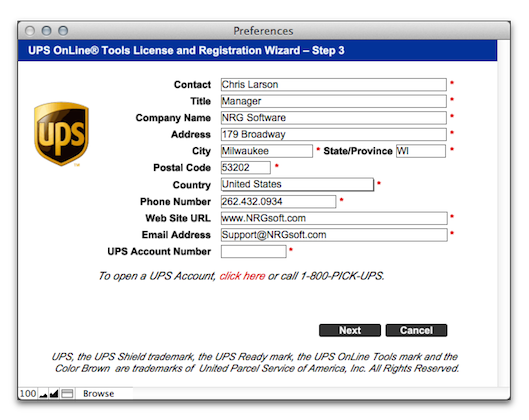
NOTE: The Postal Code you enter MUST match the Postal Code that matches your UPS Account Number.
CHANGE ACCOUNT ALIAS
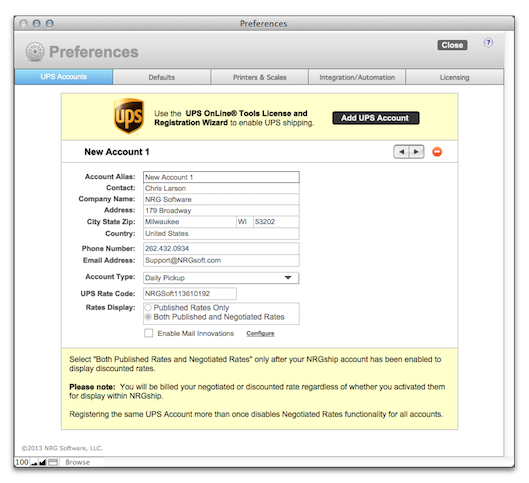
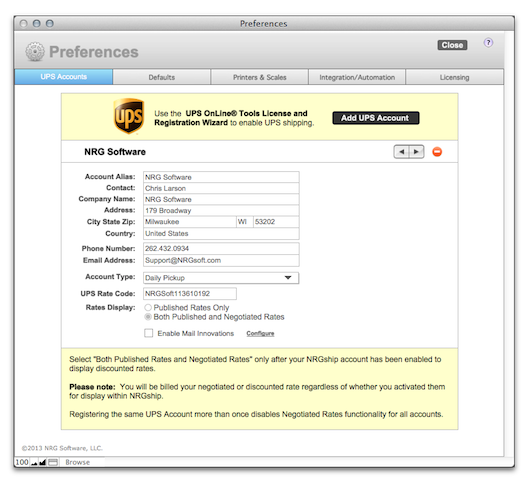
The wizard will automatically name your account "Account 1", or whatever number the account is in order. You can rename the account to a friendly name from the main UPS Account screen in Preferences.
Contact NRG Technical Support for further information.